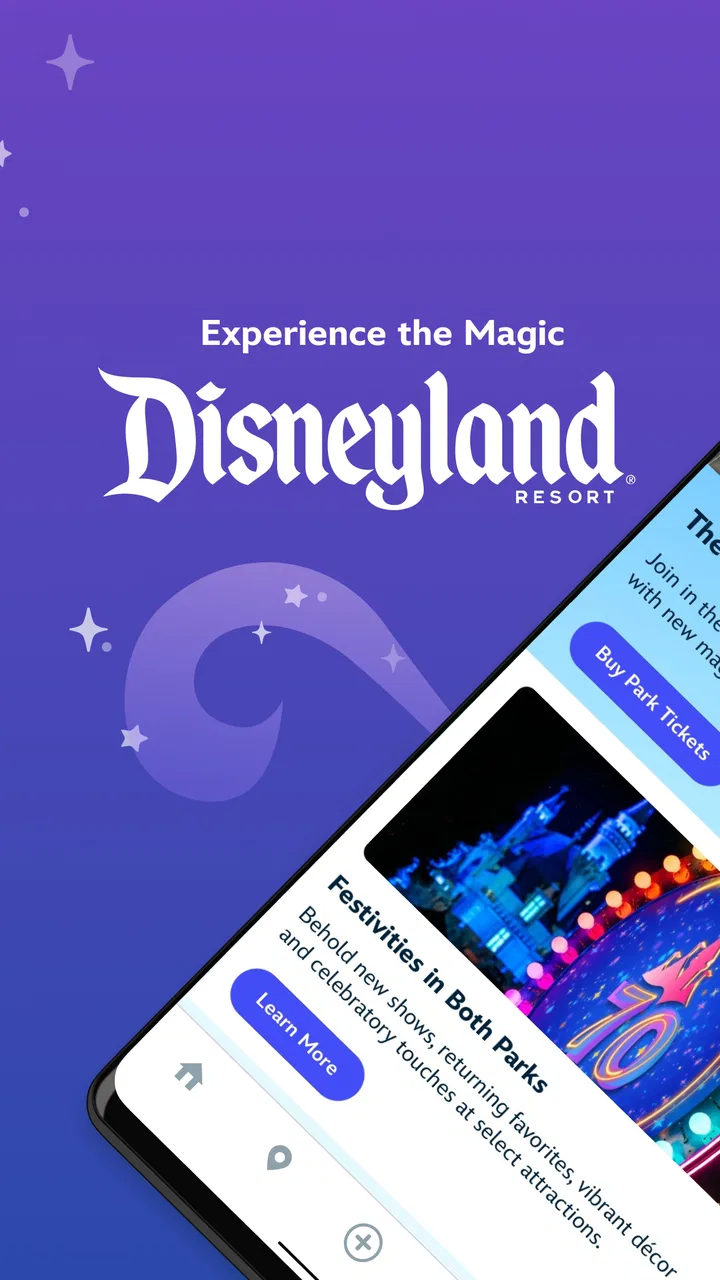
Disneyland®
- 4.5
- Rating
- 5.00M
- Installs
- Free
- Price

 Analysis by App-foxy
I found Disneyland® most useful when I treated it as a practical companion for a day at the park rather than as a simple brochure. The free Travel & Local app from Disney brings planning tools, tickets, hotel information, wait times, maps, mobile ordering, and Disney PhotoPass features into one place. That combination sounds obvious, but it changes how much time I spend switching between separate tools once I am inside Disneyland.
My overall view is positive, with one important condition: it works best when your visit is centered on Disneyland and you are willing to use the app throughout the day. If you only need a quick map, a ticket stored somewhere else, or a general look at attractions before deciding whether to visit, it can feel heavier than necessary. For an actual park day, though, its value comes from connecting several small decisions into one workflow.
How Disneyland® performs when a park day gets busy
When the park gets crowded, I use the app to compare nearby choices rather than chase the shortest wait across the map. That keeps walking distance and the group’s energy in the decision, not just a changing time estimate. I also try to check only when we are ready to choose, which helps the phone stay a useful tool instead of becoming the focus of the day.
You May Also Like

 Blood Strike: 2.5 Anniversary
Blood Strike’s Loadouts Turn Every Drop Into a Tactical Gamble
A close look at Blood Strike’s custom loadouts: how fast access to signature weapons reshapes its battle royale rhythm, rewards preparation, and narrows the gap between fights.

 Pandora - Music & Podcasts
Pandora’s Music Is Easy to Start, but Harder to Recover
Pandora’s strength is its low-effort path from a seed to a station. Its weak spot is how much confidence it asks you to place in connection, setup, and quiet recovery.

 8 Ball Pool
 Is Built on Rivalries, Rematches, and Routine
A close look at the rivalries, rematches, shared routines, and unanswered safety questions that turn a quick pool match into a persistent mobile community.

 Samsung Music
’s Quiet Strength Is Playing What You Already Own
Its reach comes less from spectacle than from dependable access to a personal library. That simplicity is both the app’s strongest retention engine and its ceiling.

 AccuWeather: Weather Radar
AccuWeather Review: A Quick, Clear Forecast for Everyday Decisions
For everyday plans, the best forecast is the one you can understand quickly. AccuWeather makes rain timing, radar, and local conditions easy to act on, with a few trade-offs.

 Hill Climb Racing
Why Hill Climb Racing Still Turns Crashes Into One More Run
A tiny car, a bumpy hill and one more upgrade: Hill Climb Racing keeps resurfacing because its simple chaos makes every near-miss feel personal.
More From Our News Desk



A useful starting point before leaving home
I would install the app before traveling, not while standing at the entrance. The first benefit is having the park’s information gathered in a single Disney-made interface. I can look at hotel and ticket information, study the map, and get familiar with the layout before the day becomes crowded and distracting.
That preparation matters more than it may seem. A theme-park map is not just something to consult after getting lost. I use it to think in areas and walking routes: which attractions belong together, where food might fit into the day, and which stops are worth saving for later. Even without trying to schedule every minute, this gives the visit a basic shape.
The app is free, and its Everyone content rating makes it suitable for families sharing the planning process. Disney is the developer, and the app has been available since August 4, 2015. Its current version is 8.18, while supported devices need at least OS 10. That last point is worth checking before a trip, especially if someone in the group carries an older phone that is normally used only for travel.
Maps are more valuable when they support decisions
The map is one of the strongest parts of the experience because it is connected to the rest of the park information instead of living as a static image. I can use it while deciding whether crossing the park is sensible for one attraction, or whether it is better to stay nearby and choose something else.
My practical tip is to check the map before opening a wait-time screen. A short wait on the opposite side of the park may not be a better choice than a slightly longer wait close to where I already am. The app helps expose that trade-off, but it does not make the decision for me. I still need to consider walking, meals, show plans, tired children, and the possibility that conditions will change before I arrive.
This is where the app feels more useful than a general maps service. A normal map can help me reach the resort, but it does not give the same park-focused context. On the other hand, a general notes app can hold my plans, yet it cannot connect those notes to live park information. Disneyland® earns its place by joining those tasks rather than performing only one of them.
Wait times help, but they are not a promise
Wait times are the feature I would check most often during a busy visit. They give me a quick way to compare attractions without walking across the park just to discover that the line is longer than expected. That alone can prevent a surprising amount of unnecessary movement.
I would not use the numbers as a rigid timetable. A wait time is a snapshot, not a guarantee of how long my group will spend from that moment until boarding. Lines can change, attractions can become unavailable, and the walk to the entrance still takes time. The best use is relative: if one nearby option looks much more manageable than another, that information can guide the next choice.
A less obvious benefit is that wait times can protect the mood of a group. When everyone is tired, the right question is often not “What is the shortest line in the whole park?” but “What can we do next without creating another long walk?” Using the app this way turns it into a decision aid rather than a source of unrealistic precision.
Tickets and hotel details reduce the number of places to check
Having ticket and hotel-related information available in the same app is convenient during the parts of a trip when I am moving between planning and action. I do not have to remember which separate service contains each piece of the visit, and that makes the experience feel more coherent.
Still, I would not rely on one phone as the only backup for a family. Before leaving, I would make sure the relevant people know the plan and that the phone is charged. This is not a criticism unique to Disney; it is a sensible precaution whenever tickets and travel details are managed digitally. The app simplifies access, but it does not remove the need for basic preparation.
For hotel guests, the benefit is strongest when accommodation information and park plans are being considered together. I can think about where the day begins and ends instead of treating the hotel as an unrelated reservation. For visitors who already have a separate travel organizer that handles every booking well, the Disney app may feel like an additional place to maintain information rather than a complete replacement.
Mobile ordering is a real time-saver when used deliberately
Mobile ordering is one of the features that can make a noticeable difference to the rhythm of a park day. Rather than waiting until everyone is hungry and then joining the first available line, I can look ahead and place an order as part of the route I am already planning.
The useful workflow is to decide on food before the group reaches the point of exhaustion. I would check the available ordering option, choose a pickup moment that fits the next part of the day, and avoid creating a meal stop that sends everyone in the opposite direction. That requires a little discipline, but it is more effective than treating mobile ordering as an emergency shortcut.
There is also a trade-off. Ordering through the app adds another decision layer, and it may not suit people who want to browse casually, change their minds repeatedly, or choose a meal only after seeing what the group feels like eating. I like it most for families with a clear break in their plans. It is less compelling for a relaxed visit where spontaneity matters more than saving time.
PhotoPass makes the app more than a logistics tool
Disney PhotoPass gives the app a different role from a standard itinerary planner. It connects the practical side of the visit with the memories I want to keep afterward. That matters because the person taking every family photo is often missing from the pictures.
I see this feature as especially useful for group trips, celebrations, and families who want a shared collection rather than scattered images on several phones. It also encourages me to think about photos while planning the day, instead of remembering them only when the visit is nearly over.
The limitation is that photo features are not the reason every visitor needs the app. Someone traveling alone with a phone camera, or someone who does not care about organized park photos, may get much more value from maps and wait times than from this part. The app is strongest because PhotoPass sits alongside the other tools, not because it replaces a dedicated photo library.
A realistic day with the app
Imagine a family arriving with a rough list of priorities rather than a minute-by-minute schedule. Before entering, I would use the map to group the attractions into sensible areas and keep the ticket information ready. Once inside, I would compare nearby wait times instead of chasing the lowest figure anywhere in the park.
Late in the morning, I would use mobile ordering for a meal that fits the route, checking the map before committing to a pickup location. After lunch, a change in wait times might make the original plan less attractive, so I would use the app to choose a nearby alternative. During the afternoon, PhotoPass could help the group capture moments without asking one person to handle every picture.
That scenario shows the app’s real strength: it supports a chain of small choices. It does not magically make the park quiet or remove walking, but it can reduce avoidable backtracking and the stress of searching for information while everyone is already tired.
Where the experience becomes less comfortable
The main weakness is dependence on a phone during a day when the phone is already doing many jobs. I may use it for tickets, directions, wait times, food, and photos, which means battery life and attention become practical concerns. The more I rely on the app, the more important it is to avoid constantly refreshing information without a clear reason.
The amount of information can also feel busy. A first-time visitor may open the app expecting one simple answer and instead find several planning paths. I recommend learning only the tools needed for the current moment: the map and wait times while walking, food ordering when planning a meal, and ticket or hotel information when handling arrival details. Trying to master everything at once adds friction.
Another limitation is that digital convenience can encourage overplanning. If I keep checking the app every few minutes, the visit starts to feel like a spreadsheet rather than a day out. The best balance is to use it at decision points, then put the phone away and enjoy the attraction, meal, or conversation in front of me.
Who should use it, and who may prefer another approach?
I would recommend Disneyland® to first-time visitors who want one Disney-focused place for park navigation, tickets, hotel details, wait times, food ordering, and photo tools. Families benefit particularly because the app can give adults a shared reference point when plans need to change. It is also a good fit for visitors who dislike wasting time walking to an attraction or restaurant without knowing what to expect.
It is less suitable for someone who wants a completely offline, low-tech day. If the goal is to carry a printed plan, avoid phone notifications, and make every choice spontaneously, the app may feel like work. A general travel app can be better for a broader vacation that includes many destinations, while a calendar or notes app may be enough for a simple personal itinerary.
I would also be cautious about recommending it as the only planning tool for a large group with very different priorities. The app can show information, but it cannot settle whether one person’s preferred attraction should outweigh another person’s need for food or rest. A shared conversation is still more important than any screen.
What I would do before and during a visit
Install and open the app before travel so tickets, hotel details, and the park layout are not new on arrival.
Choose a few priority areas instead of trying to cover every attraction in a strict order.
Use wait times to compare nearby options, not as exact promises about the rest of the day.
Plan mobile ordering around a realistic break and a convenient location.
Keep the phone charged and avoid making the app the group’s only source of essential information.
Use PhotoPass intentionally if shared memories matter, rather than treating it as an automatic replacement for every personal photo.
These habits make a difference because the app is not equally valuable at every moment. Its best role is reducing uncertainty before a decision: where to go next, whether a nearby attraction is worth considering, when to arrange food, or where to find visit-related information. Once the decision is made, I can stop looking at the screen.
My verdict after using it as a park companion
Disneyland® is a strong, focused travel app for people spending time at Disneyland, and I understand why it has reached a 4.6 average from around 90 thousand ratings, with more than 5 million installs and roughly 24 thousand written reviews. Those figures suggest broad adoption, but my recommendation comes from the way its tools work together rather than from popularity alone.
The app is free, and that makes it easy to justify for a planned visit. Its strongest qualities are the connected map and wait-time workflow, the convenience of mobile ordering, and the way ticket, hotel, and PhotoPass information sit within the same Disney experience. The meaningful drawback is that it asks the phone to become central to the day, which can create battery, attention, and overplanning problems.
My clear recommendation is to use it as a flexible decision tool, not as a strict itinerary master. If you are visiting Disneyland and want practical help adapting to changing waits, meals, routes, and group needs, it is worth installing. If you want a quiet, mostly offline visit or a general travel organizer for an entire trip, another option may suit you better. For the audience it targets, however, this is one of those apps whose value becomes most obvious once the park gets busy.
FAQs for Disneyland®
01What features does the Disneyland® app offer?
The Disneyland® app provides a comprehensive experience for planning and enjoying your visit to the park. It includes features like real-time wait times, park maps, dining reservations, and mobile food ordering. Additionally, it offers ticketing options, show schedules, and the ability to link your Disney PhotoPass, enhancing your overall Disney experience.
02Can I use the Disneyland® app without an internet connection?
While some features of the Disneyland® app can be accessed offline, such as viewing previously downloaded park maps, most functionalities require an internet connection. Real-time updates, including wait times and dining reservations, need Wi-Fi or cellular data to function properly, so plan accordingly to make the most of your visit.
03Is the Disneyland® app free to use?
Yes, the Disneyland® app is free to download and use. However, certain services within the app, such as purchasing tickets or making dining reservations, involve additional costs. There may also be in-app purchase options for special experiences or upgrades, so it's beneficial to explore these features beforehand.
04How user-friendly is the Disneyland® app for first-time visitors?
The Disneyland® app is designed with user-friendliness in mind, offering intuitive navigation and helpful guides for first-time visitors. With its interactive maps, clear instructions, and easy access to information, the app aims to make your visit as smooth as possible. However, it may take a little time to explore all its features fully.
05What should I do if the Disneyland® app is not working properly?
If you encounter issues with the Disneyland® app, first try restarting your device or ensuring your internet connection is stable. Check for any available updates for the app. If problems persist, Disney's customer support can provide assistance. Their team is available to help resolve any technical issues you may experience.
Pros
- Offers extensive park maps and navigation.
- Real-time wait times for attractions.
- Seamless ticket purchasing and management.
- Personalized itinerary suggestions.
- Exclusive in-app promotions and discounts.
Cons
- Requires constant internet connection.
- High battery consumption during use.
- Occasional app crashes reported.
- Limited features without in-app purchases.
- Can be overwhelming for first-time users.

Disneyland®
Gallery